
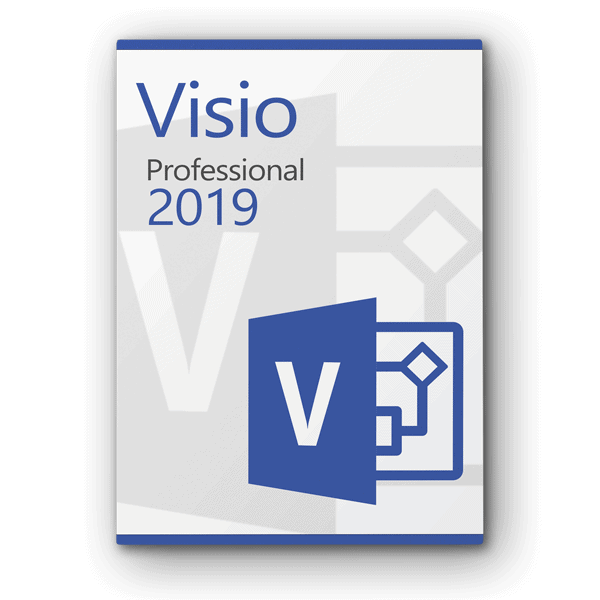










Beschreibung
Microsoft Visio remains the best tool for designing diagrams in companies in the Professional 2019 edition, based on common industry standards such as IEEE. In addition, Microsoft has made thousands of detailed improvements and introduced new features to make it easier to work on projects in larger teams. The software is therefore explicitly aimed at professional users. Nevertheless, the program remains easy to learn, thanks in particular to countless templates and the proven Office interface. Every purchaser continues to receive 2 GB of free storage space with Microsoft's own cloud solution, OneDrive.
Diagrams can be generated in Microsoft Visio Professional 2019 immediately after the program is launched: hundreds of templates based on a selection of more than 250,000 shapes ensure this. Since the desktop application also updates itself continuously, new templates are added regularly. Users can then share finished diagrams not only as Visio data sets, but also via the Internet: To this end, Visio Professional 2019 supports web-based displays of diagrams or output as PDF files for users who do not use Visio on their device. Comments that other users then add to the diagram are immediately visible to the creator of the project, who thus receives feedback.
Microsoft has also improved support for finger input and pens such as the Microsoft Surface Pen, specifically for Visio Professional 2019 and Windows 10. Charts can be refined using natural input methods, such as virtual ink or your finger, to color shapes, move them, and rearrange charts. This also makes it easier to use the program on a tablet such as the iPad Pro, for which a separate app is available in the official Apple Store. To improve collaboration with others, the annotation features have been enhanced and the integration of Skype for Business into the program interface has been expanded.
New data is imported directly into Microsoft Visio Professional 2019 from other popular programs such as Excel. This saves time when editing charts, as manual entries become less frequent. To then bring those charts to life and clearly present even large amounts of information, countless colors, shapes, and graphics are available to focus attention on the data that is really important to the viewer. In addition, the program supports the integration of drawings created in the popular AutoCAD software. This also significantly expands the range of functions, as even complex shapes become possible.
As soon as any data that has already been integrated into the diagram changes, Microsoft Visio Professional 2019 will immediately change the display of the project. To do this, the program continuously scans the integrated data—regardless of where it comes from and whether it is available locally or on the network—and then immediately passes on any changes to the current diagram. This ensures that everyone working on the project always has an overview and can collaborate on a single version of the diagram. Eliminating the need for manual updates also simplifies the work process and saves a lot of time in the long run.
Microsoft has developed Visio Professional 2019 to be compatible exclusively with one of the editions of Windows 10 and Windows 10S. It is not possible to run the software with an older version of Windows. Furthermore, this offer is a product key for a desktop PC or notebook. There are no additional subscription costs. Microsoft guarantees to provide updates for this software for at least five years.
System requirements:
- Windows 10, Windows Server 2019
- 1.6 GHz, dual-core processor or faster
- 2 GB RAM (32-bit); 4 GB RAM (64-bit)
- 4 GB of available hard disk space
- Graphics acceleration requires a DirectX 9 compatible graphics card. With WDDM 2.0 or higher for Windows 10 (or WDDM 1.3 for Windows 10 Fall Creators Update).
Support:
If you have any questions, please do not hesitate to by email to contact us. Our customer support is available 7 days a week, 24 hours a day.





Reviews
There are no reviews yet.